How to give Claude Code full browser context for a bug (stop typing 300-word descriptions)
Here's a loop every Claude Code and Cursor user knows by heart. A button in your app stops working. You open the agent and type: *"When I click Place Order on checkout, nothing happens. Sometimes there's an error in the console. Can you fix it?"*
The agent — which is genuinely good at code — starts guessing. It greps for the button handler. It asks what the console said. You alt-tab, reproduce the bug, squint at the console, paraphrase the error. It asks about the network tab. Another alt-tab. Fifteen minutes in, you're the world's slowest JSON API between your browser and your agent, and the agent still has a foggy, secondhand picture of what happened.
The problem isn't the agent. The problem is that your agent can't see the browser. Everything it knows about the bug arrives through your typing.
What an agent actually needs
When a human debugs a browser bug, they look at five things almost immediately. Your agent needs exactly the same five — it just can't gather them itself:
1. The console error, verbatim — the full text with the stack, not "there was a TypeError somewhere." 2. The network story — which request fired, with what payload, and what came back. Half of all "frontend" bugs are a failing API call wearing a UI costume. 3. The exact action sequence — what was clicked, in what order, with what typed input. "I clicked around and it broke" is not reproducible. 4. The DOM state — what the page actually looked like when it broke, not what the JSX says it should look like. 5. The environment — browser, viewport, URL, and route. "Works on my machine" lives in this gap.
Give an agent those five things and something remarkable happens: it stops guessing. It reads the failing request, finds the handler, connects the console stack to a file and line, and proposes a fix grounded in what *actually happened* — usually on the first try.
The manual way (works today, costs ~10 minutes per bug)
You can assemble this by hand, and if you do nothing else, this checklist will improve your agent sessions immediately:
1. Reproduce the bug with DevTools open
2. Console tab → right-click the error → Copy → paste as text (never a screenshot)
3. Network tab → find the failing request → Copy → Copy as cURL, plus the response body
4. Write the exact steps: numbered, from a known starting point, with typed values
5. Note browser + URL + viewport
6. Paste all of it into the agent in one message
This works. It's also ten minutes of secretarial work per bug, you'll skip it when you're in a hurry, and the one detail you omit is reliably the one that mattered.
The one-click way
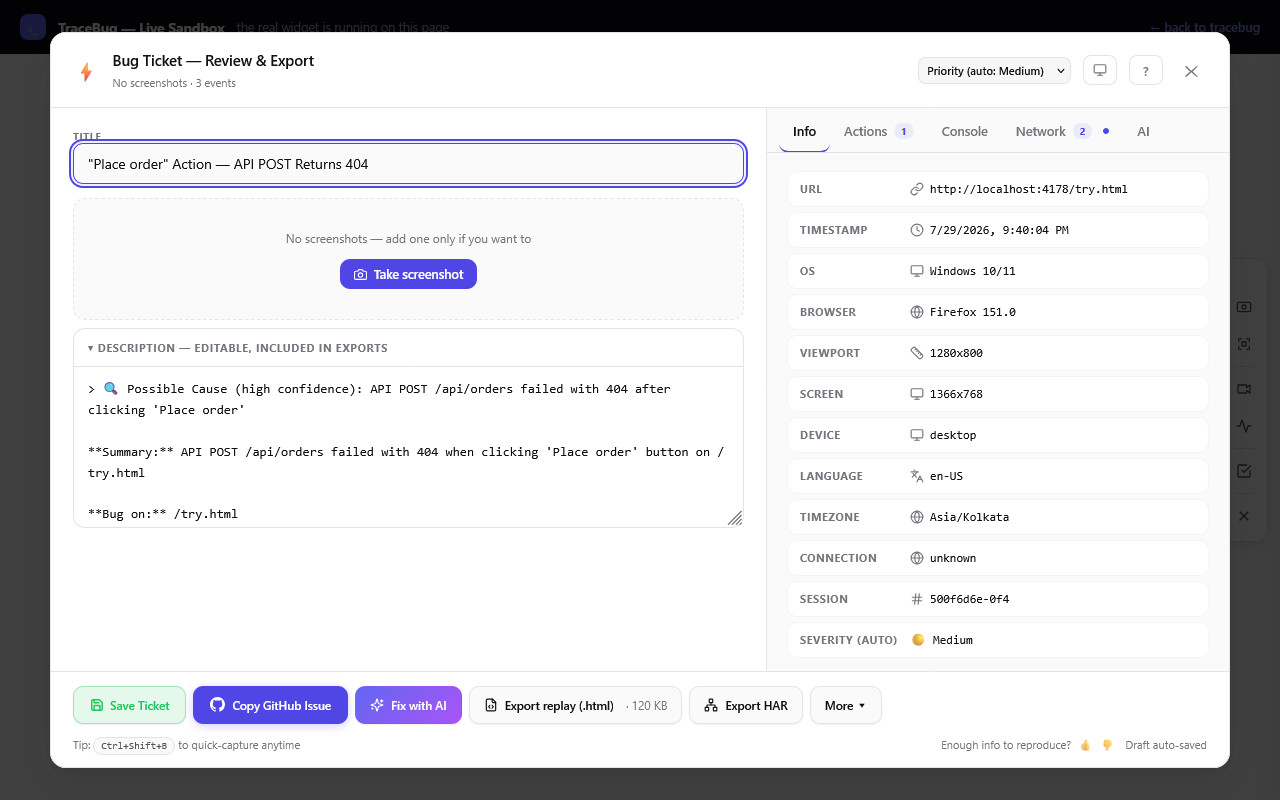
This is the exact problem TraceBug exists to solve (disclosure: I build it). The browser extension captures all five evidence types as the bug happens — DOM replay, console, network, action timeline, environment — and packages them into one self-contained .html file on your machine. Nothing uploads anywhere.
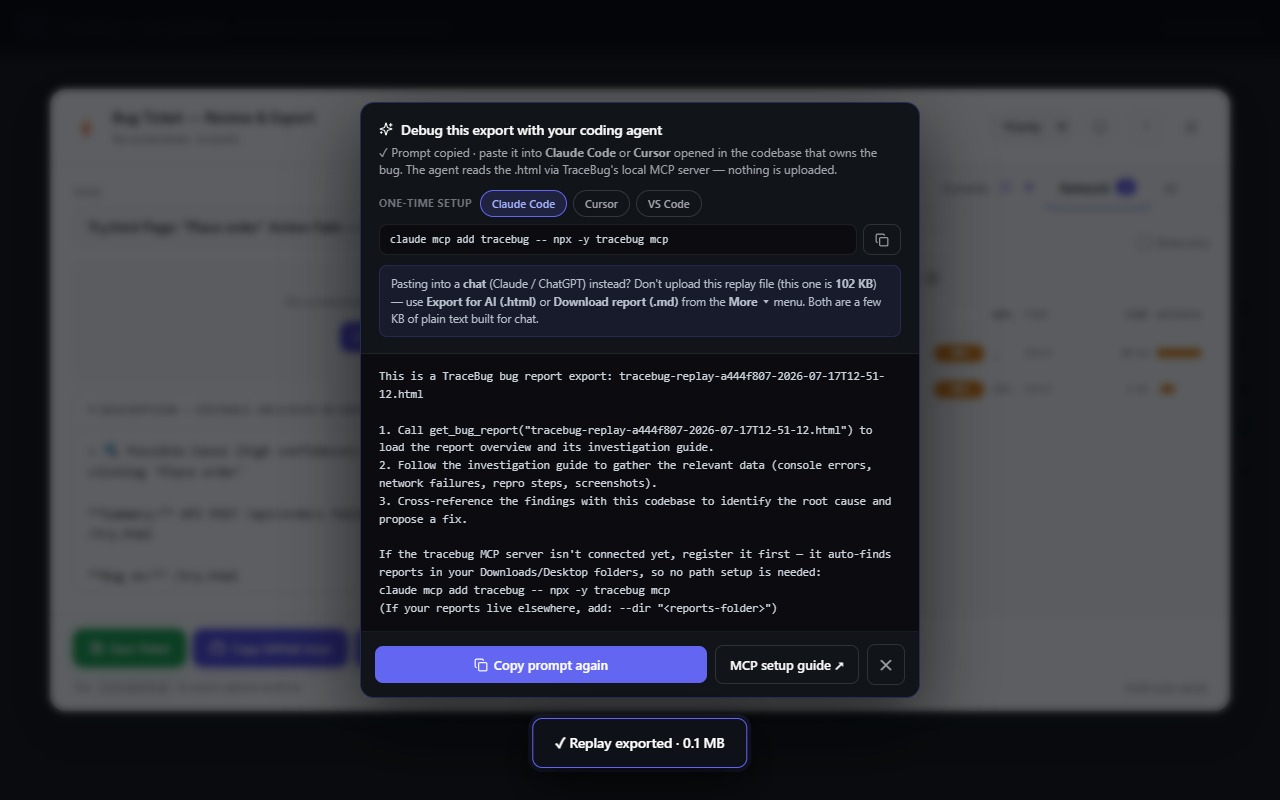
Then the hand-off, which is the part built specifically for agents: TraceBug ships a local MCP server —
claude mcp add tracebug -- npx -y tracebug mcp
— and after that, Claude Code reads the report *directly*. Not a summary you typed: the actual console errors, the actual failed request with its response body, the repro steps, resolved stack frames when source maps are available. One MCP tool, get_fix_context, hands the agent a fix-starter in a single call: the failing request, the user action that triggered it, and the first error with its top frames.
There's a verification step too: every report embeds a generated failing Playwright test. The agent runs it (red), patches the code, runs it again (green). The fix isn't "looks plausible" — it's proven against the captured failure. (More on that here.)
If you use chat instead of an agent — claude.ai, ChatGPT — don't upload the replay file; it's built for browsers and MCP, not context windows. TraceBug's AI report (.html) export is a few KB of structured plain text made exactly for pasting into a chat.
Try the loop in two minutes
The live sandbox has a checkout page with intentional bugs and the real widget running. Capture one, export it, and hand it to your agent. The first time Claude fixes a bug from evidence it gathered itself — no typing, no alt-tabbing, no paraphrased stack traces — the 300-word bug description era ends on the spot.