The QA workflow where your bug reports get fixed by AI (before standup)
Something changed on the developer side of the bug-report handoff, and most QA workflows haven't caught up with it yet: the first reader of your bug report is increasingly an AI coding agent. The developer receives your ticket, opens Claude Code or Cursor, and pastes your report in. Whatever you wrote is now the agent's entire knowledge of the bug.
This raises the bar and lowers it at the same time. Lowers it: you no longer need to write beautiful prose — agents don't care about prose. Raises it: agents are *ruthlessly* literal about missing evidence. A human developer fills gaps with intuition ("she probably means the staging env"). An agent fills gaps with guesses, and the fix comes back wrong. Which means the QA report that gets bugs fixed in 2026 is the one that's complete, not the one that's well-written.
What "complete" means now
For an agent to fix a browser bug on the first pass, the report needs: the console error as text, the failing network request with its response, the exact click-by-click steps, the DOM state at the failure, and the environment. Writing all of that by hand for every bug is a part-time job — which is exactly why it doesn't happen, and why tickets bounce back with questions.
The practical answer is to stop *writing* reports and start *capturing* them. TraceBug (disclosure: I build it) is a free browser extension built around that idea: click Capture, reproduce the bug, and everything — DOM replay, console, network, screenshots, your steps — lands in one ticket you review and export. No account; nothing uploads; works on any site including staging environments behind logins.
The Sentry-mode trick: arm once, capture all day
Here's the workflow detail that changes daily QA life. You don't know when the bug will happen — so recording on demand means the bug you just saw is already gone.
TraceBug's rolling mode fixes the timing problem: start one recording at the beginning of your test session and leave it running. It keeps a rolling buffer — bounded, not an ever-growing file — and when a bug appears, you snapshot that moment into a ticket and keep going. One arm-up in the morning; every bug of the day captured with full evidence, none of them requiring you to reproduce anything twice.
Each ticket gets your human layer on top: annotated screenshots (arrows, highlights, blur for sensitive data), a typed title and steps, priority. The evidence is automatic; the judgment is yours.
The handoff that makes developers love QA
Export options map to wherever your team lives — GitHub issue, Jira, Linear, or the self-contained .html replay file. Two things in the export matter specifically for AI-assisted teams:
The replay file is agent-readable. The developer's agent reads it over a local MCP server — actual console errors, actual failed requests, your exact steps — instead of a paraphrase. Your capture becomes the agent's evidence, unfiltered.
Every report embeds a failing Playwright test. Generated from your captured session, it fails while your bug exists and passes when it's fixed. You've not only reported the bug — you've shipped the verification for it. When the fix lands, the test tells everyone it's real. (How that works →)
The result, on teams that run this loop: QA captures at 4:50pm, the developer's agent reads it at 9am, and the fix — proven green against your captured test — is in review before standup. The bounce-back questions ("what browser? can you get the console?") disappear, because the answers were captured before anyone thought to ask.
Try the loop without installing anything on your app
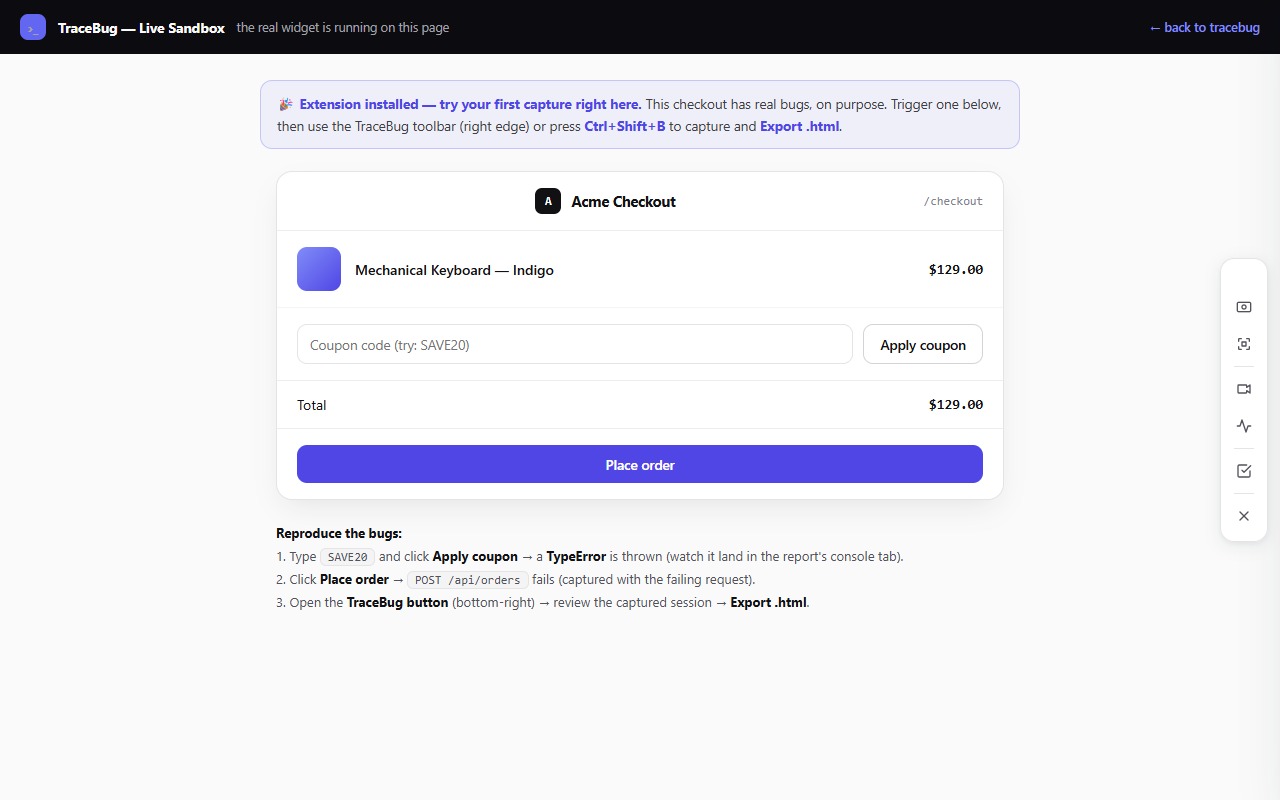
The live sandbox is a checkout page with intentional bugs. Run the workflow end to end: arm a session, trigger the coupon bug, snapshot it, annotate, export. Ten minutes, and you'll know whether this fits your team. The extension is free and open source — and if your compliance team asks where the data goes, the answer that makes that meeting short is: nowhere. It stays on your machine.