What is session replay? (It's not a screen recording)
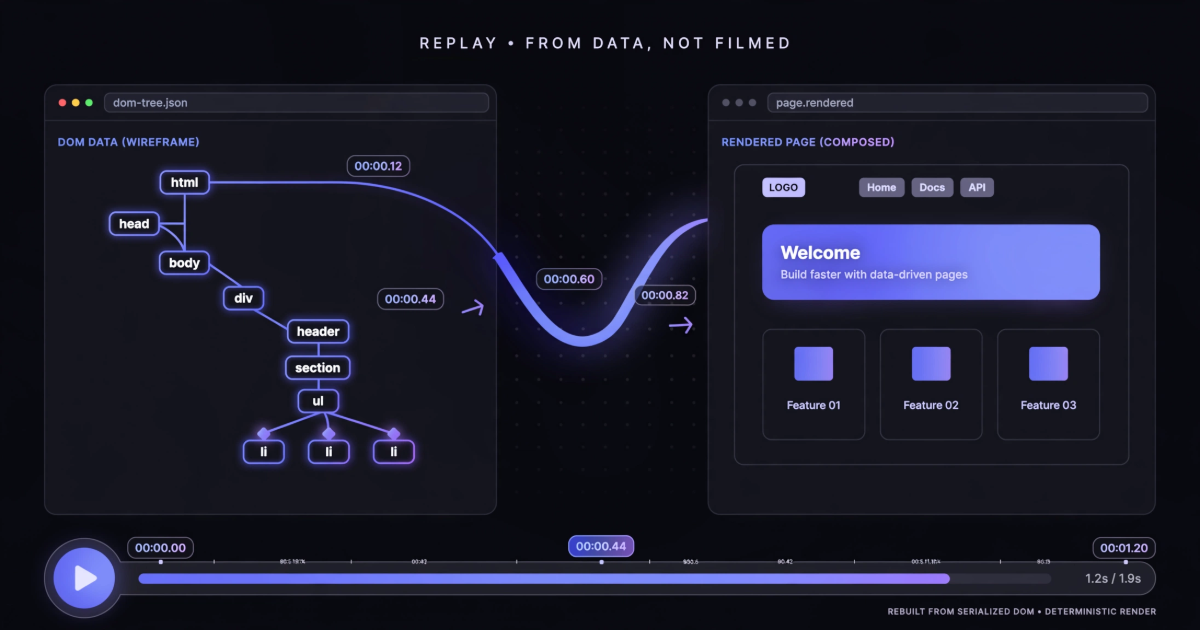
"Session replay" sounds like someone screen-recorded the user. It isn't, and the difference is the whole reason the technique works.
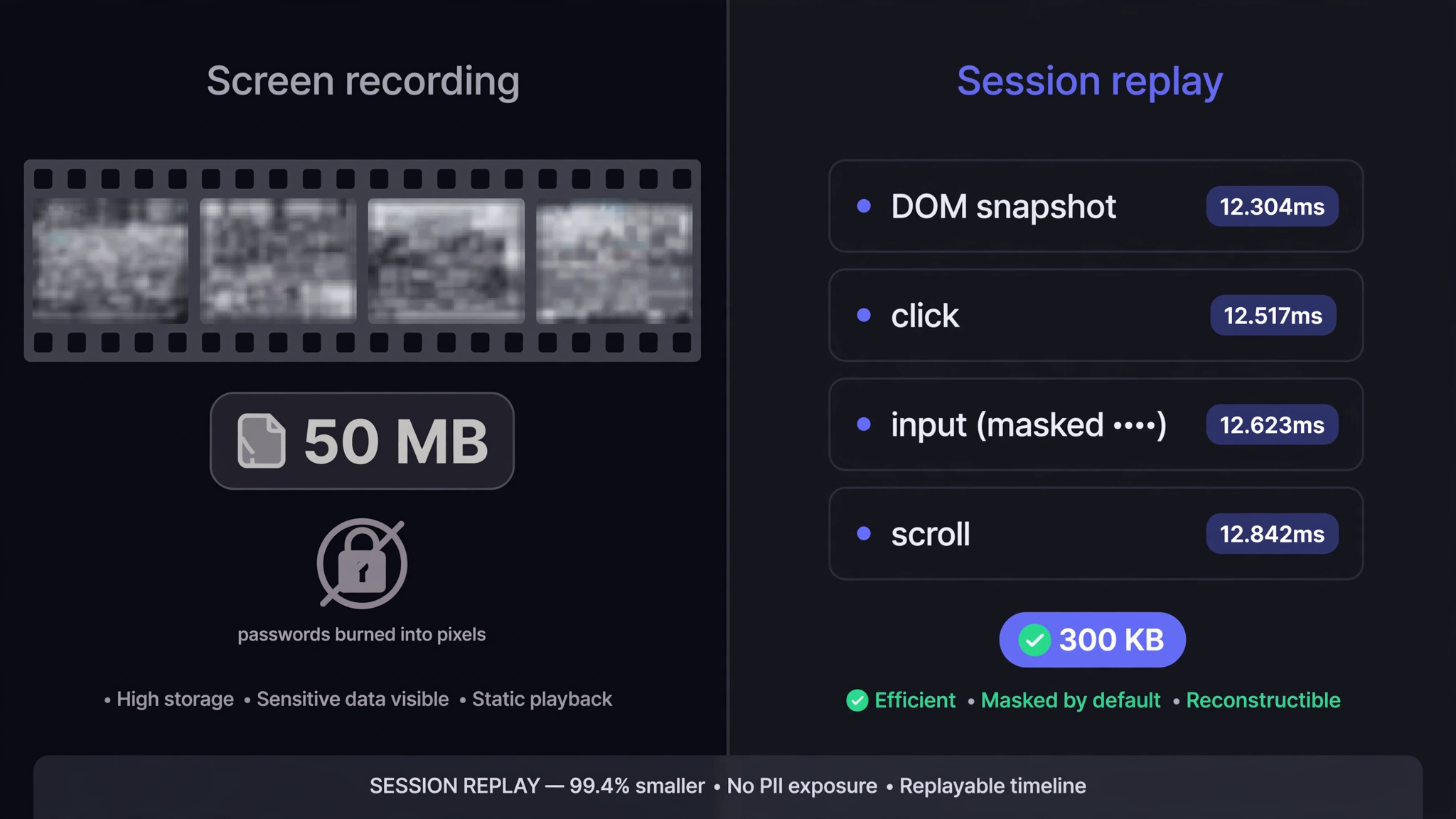
A video of a browser is pixels: megabytes per minute, un-inspectable, and whatever was on screen — passwords included — is burned in forever. A session replay is data: a snapshot of the page's DOM plus a timestamped stream of every mutation, click, scroll, and input that followed. To watch it, a player rebuilds the page and re-applies those events in order. You're not watching a film of the bug. You're watching the bug's DOM happen again.
The open-source engine behind most of this — including TraceBug — is rrweb, which has quietly become the standard way to serialize what a browser session did.
Why data beats video
Size. DOM events compress absurdly well. A minute of interaction that would be a 50 MB screen recording is typically a few hundred kilobytes gzipped. Small enough to attach to a ticket, email, or Slack message like a normal file.
Precision. Every event carries a millisecond timestamp. That means the replay can be lined up exactly against the console log and the network log: the user clicked "Place order" at 00:00.44, and the POST failed at 00:00.46. Video gives you "somewhere around the middle, I think."
Inspectability. Because the replay is a real DOM, you can pause it and look at the actual state of the page — what class that button had, whether the form value was really set. Try pausing a video and asking it what's inside an element.
Privacy by construction. A recorder that works at the DOM level can mask input fields *at capture time* — the password is replaced before it's ever written to the event stream. A video can't unsee what was on screen; the pixels either got recorded or they didn't.
The honest catch
DOM recording has edges. Canvas and WebGL render outside the DOM, so a game or a chart library that paints to canvas replays as a blank box or a sparse snapshot. Cross-origin iframes are sealed off by the browser itself. And a replay shows what the client did — it's evidence about the frontend, not proof of what your server was thinking. For most web app bugs none of this matters; for the exceptions, the console and network logs riding alongside the replay carry the diagnosis anyway.
Where replay fits in a bug report
A replay on its own answers one question: *what did the user actually do?* That's the question people answer worst from memory — nobody remembers that they double-clicked, or that they edited the coupon field twice. But the full picture needs three streams: the replay (what they did), the console (what broke), and the network (what failed). The value is in the correlation — same timeline, three witnesses.
That's the design behind TraceBug's export: one self-contained .html file holding all three, gzip-compressed, viewable offline in any browser with no player to install and no account to make. Nothing is uploaded anywhere — the capture happens in your browser and lands on your disk, which for session data isn't a feature so much as a requirement.
See one instead of reading about one
The live sandbox has intentional bugs. Trigger one, capture it, open the export — the replay, console, and timeline are all in the file. If you want to see what a machine makes of that evidence, an AI agent debugged one of these captures in five tool calls, unedited.