Record a browser tab for a bug report, without Chrome's share dialog
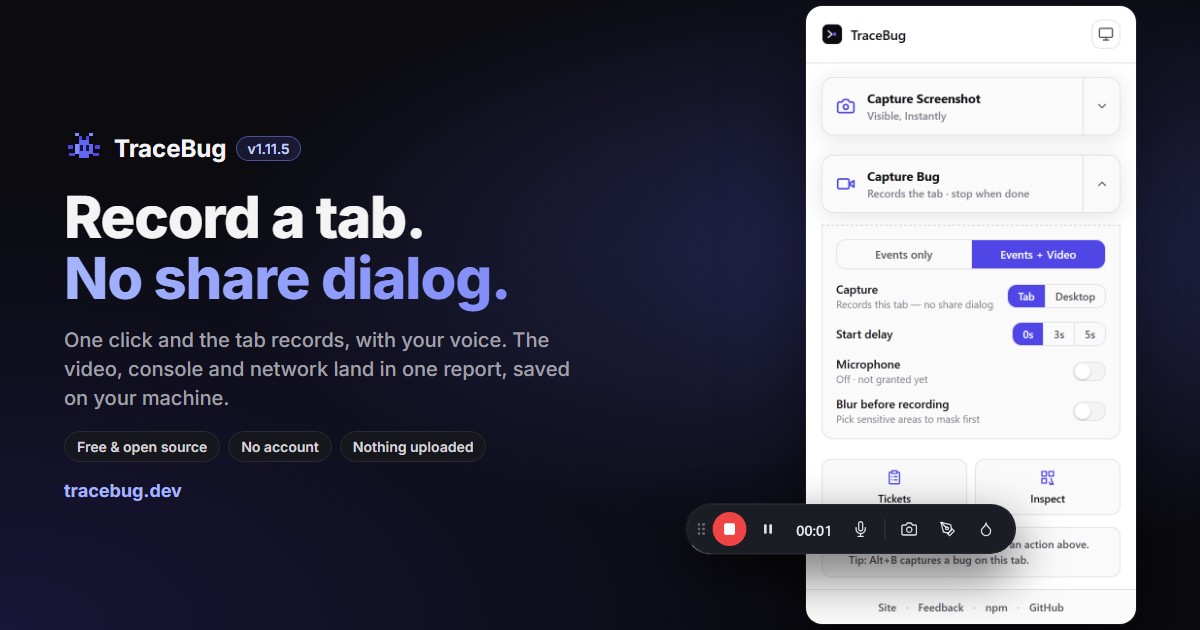
Recording a bug in Chrome usually goes like this: click record, Chrome opens "Choose what to share", you pick the tab out of a list of thumbnails, you tick "Also share tab audio", and only then does recording start. Four steps before you've shown anyone anything — and the bug you were about to reproduce has often gone away by then.
TraceBug 1.11.5 removes those steps. Pick Tab, press Capture Bug, and the tab you're on starts recording. No dialog, no list of windows.
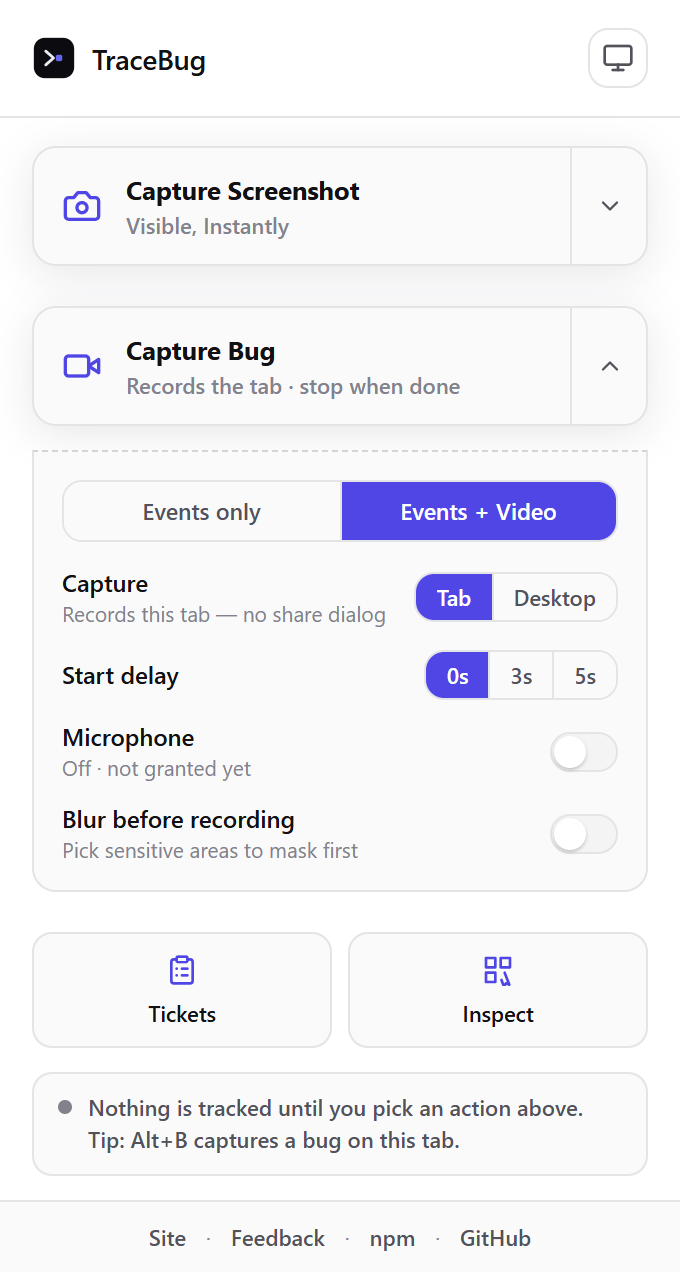
What changed in 1.11.5
- Tab recording just starts. No permission prompt, no "Choose what to share" dialog. Tab is now the default on Chrome (if you had picked Desktop yourself, it stays Desktop).
- Your voice is in the video. Turn the microphone on and your narration is recorded together with the tab's own sound. Before this release, Tab recordings kept the tab audio and silently dropped the mic.
- A quick Stop no longer saves an empty video. Chrome's recorder writes nothing for its first few seconds; TraceBug now waits until there is video to save.
- When Tab can't record, it tells you why and falls back to the normal share dialog instead of failing.
The full list is in the changelog.
How it works (and why other tools ask for the same permission)
Chrome has an extension API, chrome.tabCapture, that can hand a recorder the stream of one tab directly — no screen picker involved. It's the same API Jam and BetterBugs use for their tab recording; both declare the tabCapture permission in their manifests.
Chrome is strict about it, and that strictness is the privacy guarantee:
- It only works on a tab where you opened the extension (clicked its icon or used its shortcut). An extension can't quietly record some other tab.
- If you navigate that tab to another site, Chrome withdraws it. Open TraceBug from its toolbar icon on the new site and it works again. Moving around within the same site is fine.
- It needs the permission at install time. We first tried asking for it only when you pressed Start — but Chrome never lets a permission granted that way record the tab you granted it on, so the dialog came back anyway. That's why 1.11.5 asks up front, and why existing Chrome users see a one-time "TraceBug needs new permissions" prompt after the update.
Desktop mode is unchanged: it still opens Chrome's share dialog, because recording a window or your whole screen should always be your explicit choice. Firefox has no tab-capture API, so on Firefox TraceBug offers Desktop only.
Where the recording goes: nowhere you didn't send it
This is the part that's different from cloud bug recorders. The video never goes to a TraceBug server — there isn't one. It's stored in your browser, next to everything else the capture collected:
- a replay of the clicks, inputs and page changes,
- the console errors with their stack traces,
- the network requests, including the one that failed,
- screenshots, and the video with your narration.
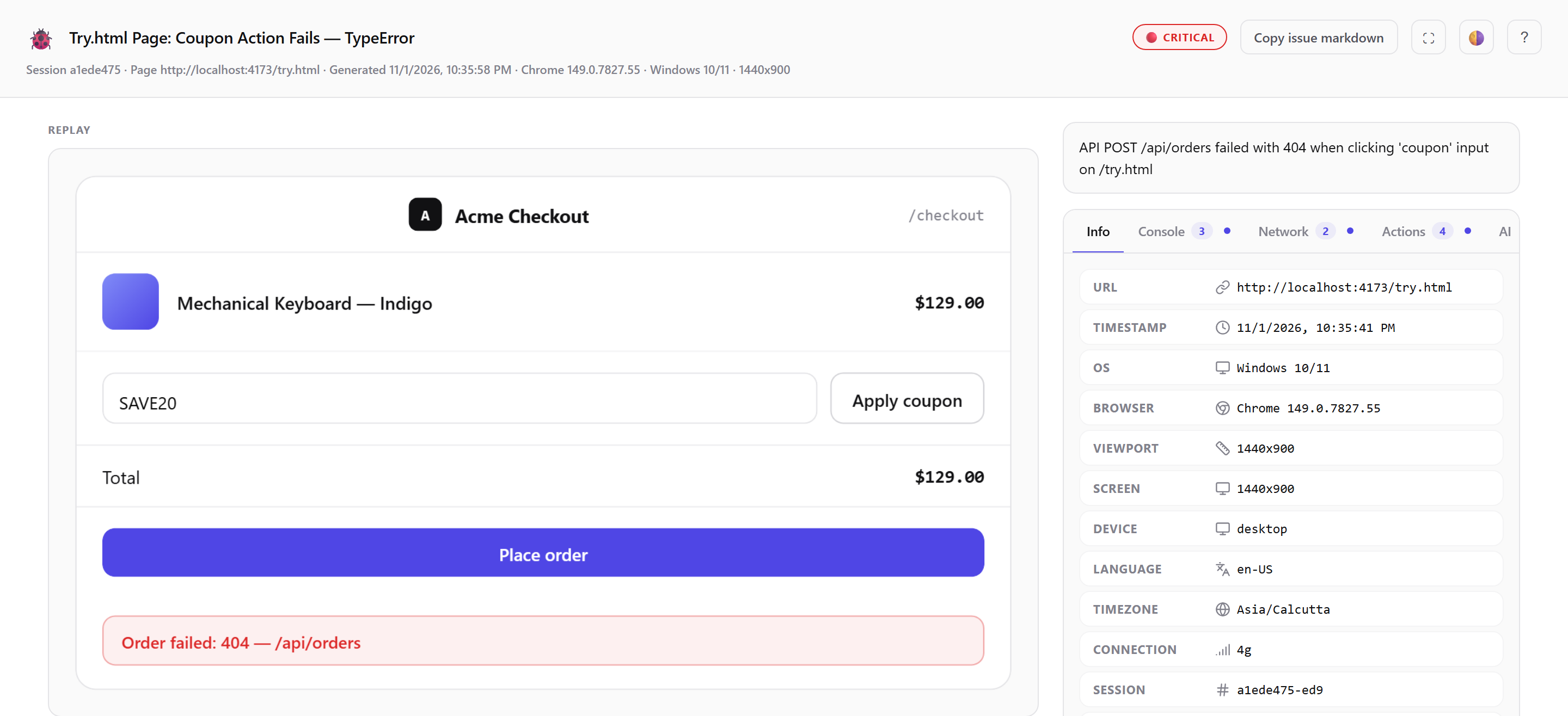
When you're done, export it as one self-contained .html file that opens offline in any browser, or send it to GitHub, Linear or Slack with your own token. If you work with an AI coding agent, npx tracebug mcp lets Claude Code, Cursor or Windsurf read the whole report straight from your disk — here's how that works.
Try it
1. Install TraceBug for Chrome (free, MIT open source, no account). 2. Open the page with the bug and click the TraceBug icon. 3. Capture Bug → Events + Video → Tab, turn on the mic if you want to talk it through, and start. 4. Reproduce the bug, press Stop, export.
No bug handy? The live sandbox has a checkout page with two bugs planted on purpose.